Accessibility &
Responsiveness
Create digital experiences that are accessible, adaptable, and easy to use.
Why it Matters
A website can contain the right information and still be difficult to use. Readable content, flexible layouts, accessible controls, and clear feedback can remove barriers and help more people complete tasks successfully.
Can people complete common website tasks on a mobile device and using a keyboard alone?
When it's working well
Common tasks work on any screen size, with a keyboard alone and with a screen reader. Text is easy to read, buttons are easy to select, and forms explain errors clearly. Content is written in plain language.
A quick win
Test your three most common tasks on a phone and with a keyboard alone. Fix the most serious problems first, such as small buttons, missing form labels or PDFs that can't be read on a phone. Run a free accessibility checker on those pages.
Ideas that help
Usability & Continuous Improvement
APPROACH
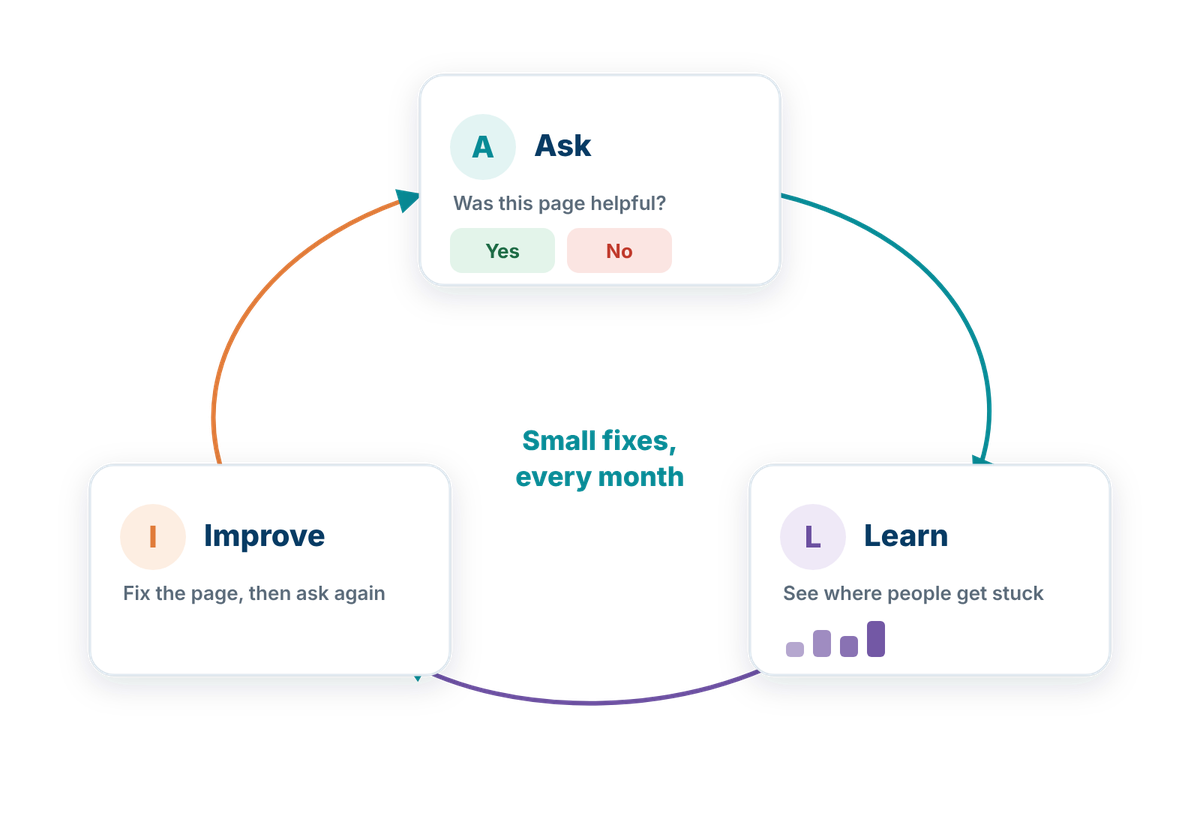
Use real feedback and behaviour to identify friction and improve the experience over time.
Even a well-designed website can become harder to use as content, services, and user expectations change. Usability testing, feedback, and analytics can help municipalities understand where people struggle, which interactions are unclear, and where design improvements could make common tasks easier.
Ongoing improvement should:
Foundations
Accessibility & Readability
FOUNDATION
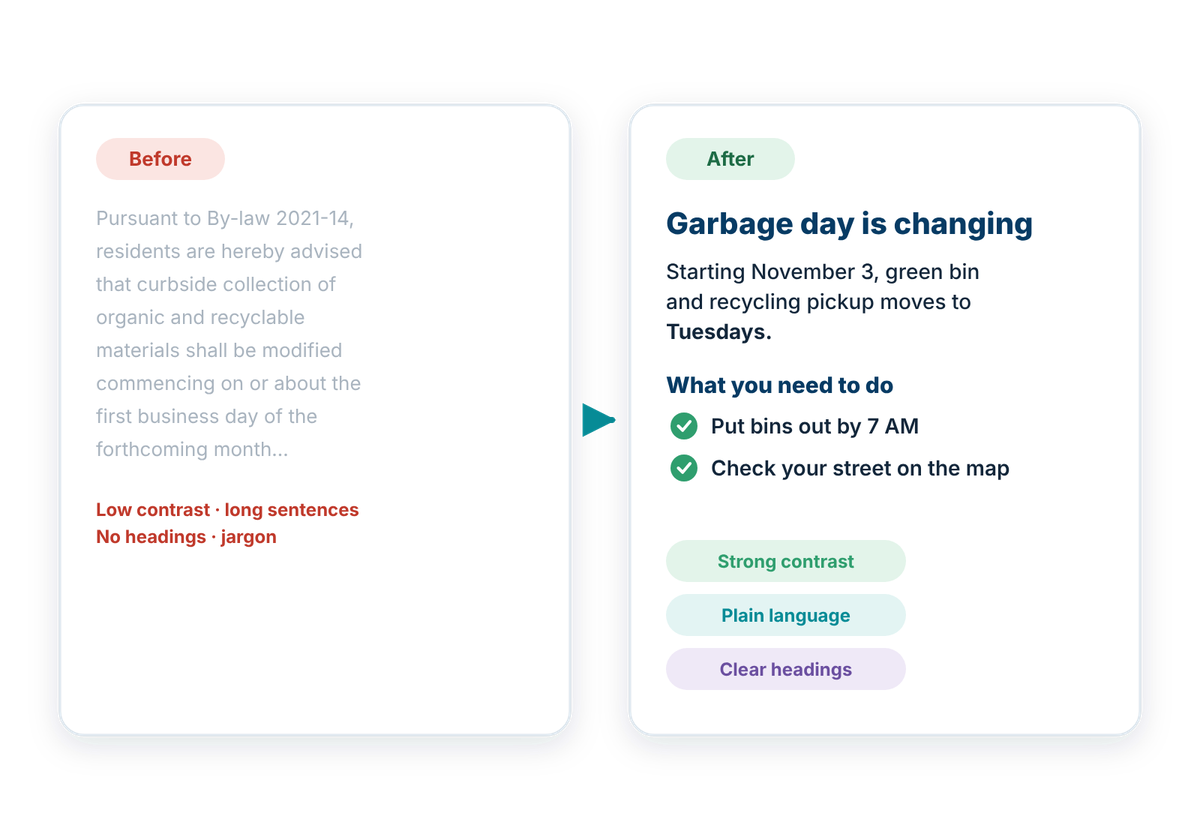
Make municipal content easier to perceive, understand, and use for people with different accessibility needs.
Accessibility should be built into everyday design and content decisions rather than treated as a final check. Clear structure, readable text, sufficient contrast, accessible controls, and meaningful alternatives can help more people use municipal information and services independently.
Accessible experiences should:
Responsive & Mobile Design
FOUNDATION
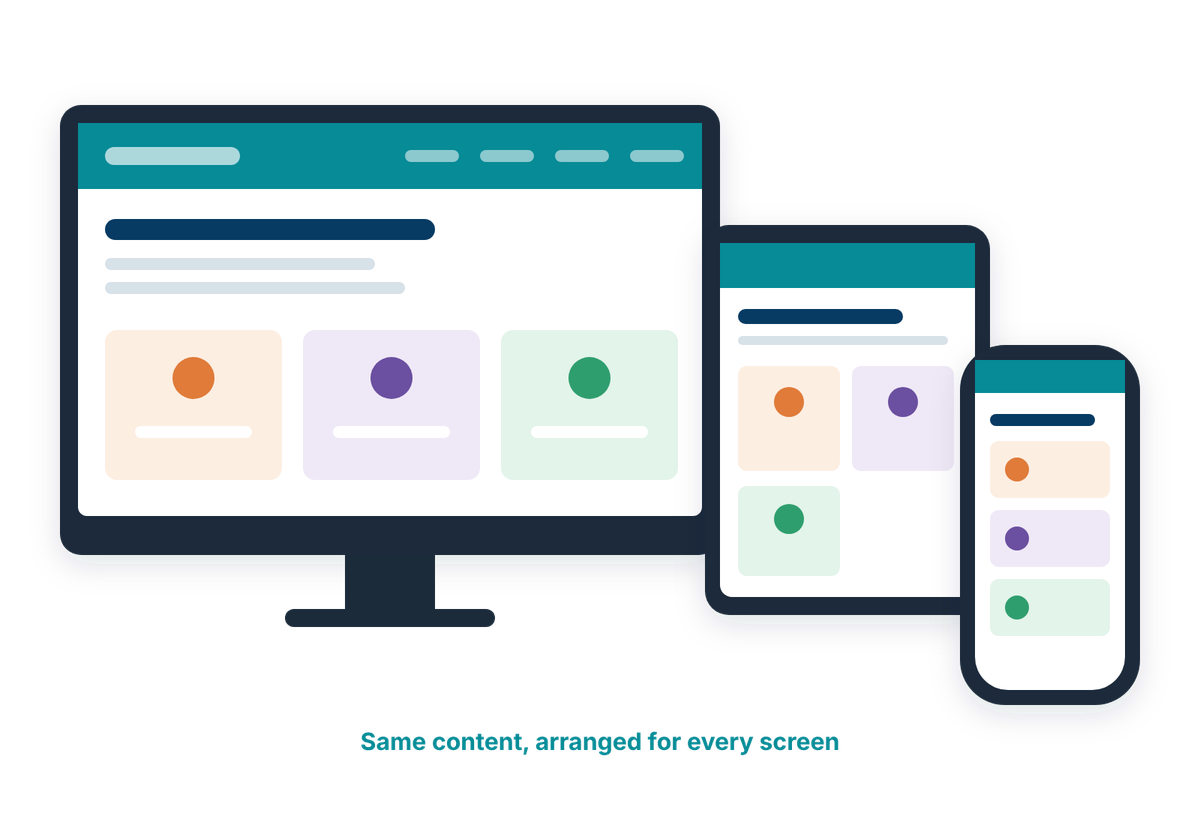
Make municipal websites work clearly and comfortably across different screen sizes and devices.
People may access municipal information from a phone, tablet, laptop, or desktop computer. Responsive design helps layouts, navigation, forms, and complex content adapt to the available space without making important information harder to find or use.
Responsive design should:
Related ideas
- Plain-language and translation help (optional AI tool): help staff write clearer content and offer it in more than one language.
How well does your website work for residents?
Take the free check-up. In about 20 minutes you'll walk through everyday situations, like reporting a pothole or finding a council agenda, and get a plain-language check-up report of what's working and what to tackle first.