
Internal Workflow
& Approvals
Help municipal staff move requests, decisions, and approvals through the organization more clearly.
Why it Matters
A smooth public experience often depends on efficient internal processes. Clear assignments, approval steps, reminders, and status visibility can reduce delays, improve accountability, and make it easier for staff to understand what needs attention.
Are requests submitted through the website assigned to the right staff member and tracked through to completion?
When it's working well
Each request submitted through the website goes to the right staff member automatically. Staff can see who has each request, what is overdue and what comes next. The resident is told when the request is resolved, and nothing is left sitting in an inbox.
A quick win
Choose one common request, such as a missed collection or a pothole report. Agree who receives it, how quickly they respond and how the resident is told it is resolved. Track it in one shared place instead of in personal inboxes.
Ideas that help
Internal Requests & Routing
TOOL
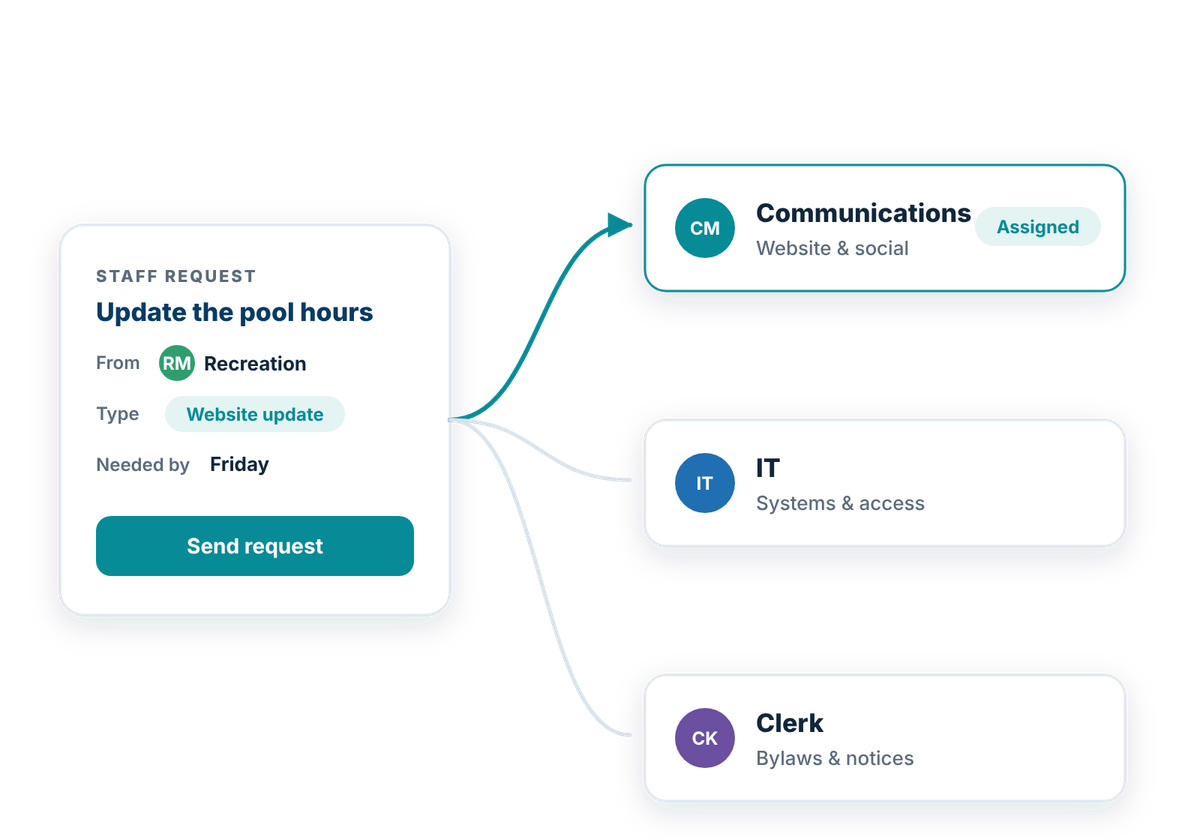
Help staff submit internal requests and get them to the right person or team.
Internal requests can include everything from IT support and purchasing to facilities, communications, and administrative tasks. Clear digital forms and routing rules can help staff provide the right information up front and reduce the need for requests to be manually forwarded between departments.
Internal request tools should:
Approvals & Escalation
TOOL
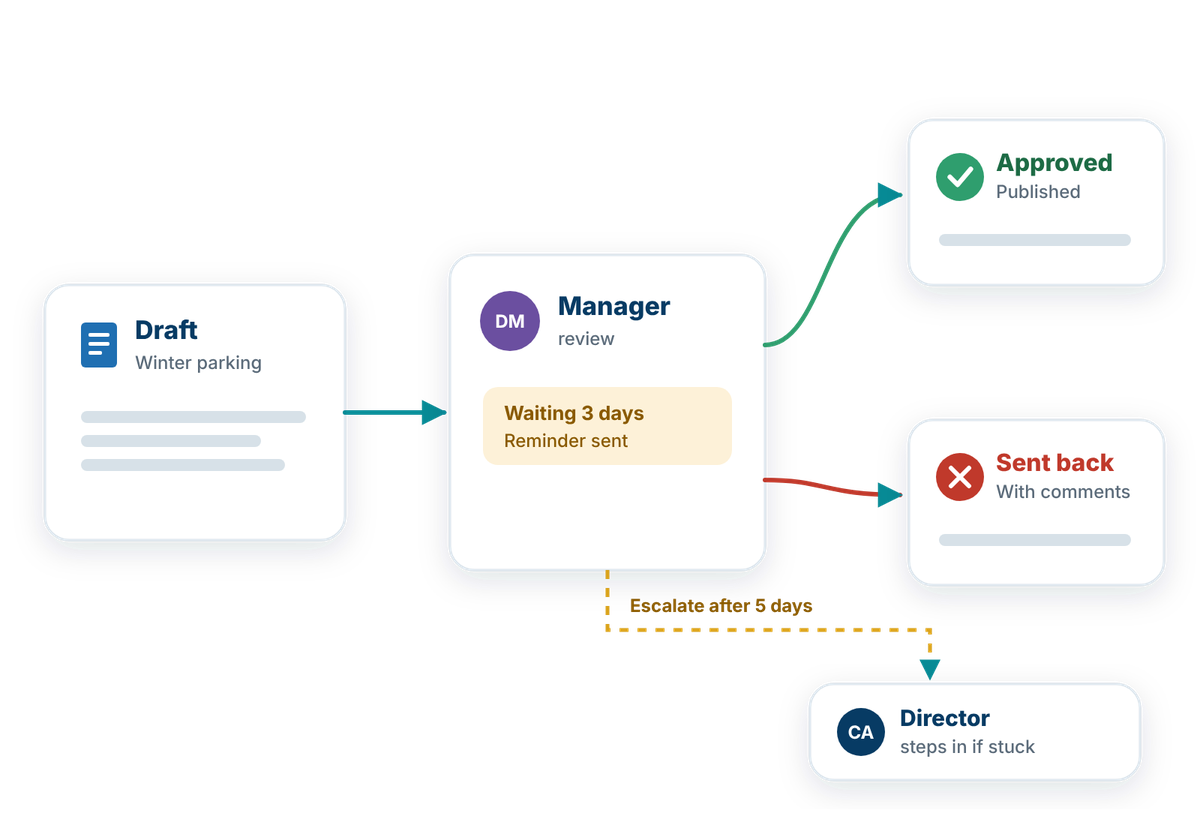
Keep internal work moving when a request needs review, approval, or follow-up.
Many internal processes involve more than one person or department before work can move forward. Clear approval steps, reminders, and escalation rules can help staff understand who needs to act next and reduce delays caused by missed emails or unclear handoffs.
Approval workflows should:
Workflow Status & Oversight
TOOL
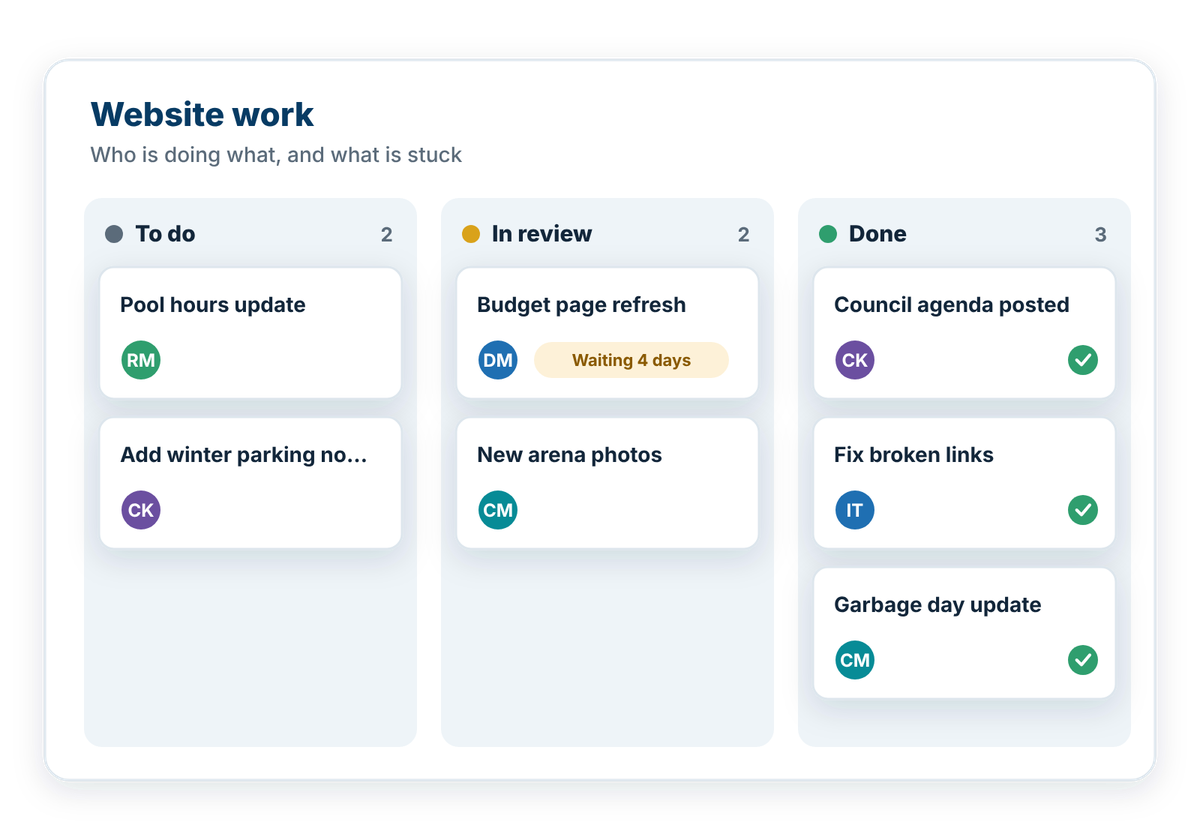
Give staff a clear view of what is moving, what is waiting, and what needs attention.
Internal workflows can become difficult to manage when requests, approvals, and follow-up tasks are spread across emails or individual staff members. A shared view of workflow status can help teams understand progress, identify delays, and see where action is still required.
Workflow oversight should:
Also consider
- Internal Assignment & Reporting: the resident-facing request flow these internal steps support.
How well does your website work for residents?
Take the free check-up. In about 20 minutes you'll walk through everyday situations, like reporting a pothole or finding a council agenda, and get a plain-language check-up report of what's working and what to tackle first.