
Forms &
Applications
Make it easier for people to complete and submit municipal forms online.
Why it Matters
Paper forms, downloadable PDFs, and unclear submission instructions can create extra work for both residents and staff. Clear digital forms, supporting-document uploads, and straightforward confirmation can make applications easier to complete while improving the consistency of the information municipalities receive.
Could someone find and apply for a permit or licence online?
When it's working well
People find the right application by searching for what they want to do. The form asks only the questions that apply to them and accepts drawings or photos. Applicants receive a reference number and know what happens next. Staff receive a complete application in the right place.
Where to start
Convert your two or three most common applications from fillable PDFs into online forms, with a clear "Apply" button on each permit page. After someone submits, tell them what happens next and how long it usually takes.
If you don't have this yet
An online form can usually be added to your current website. It can show only the questions that apply, accept uploads and send each application to the right team. If permits run through a separate permitting system, ask your vendor whether it has a public application portal you can link to.
Ideas that help
Smart Online Forms
TOOL
Help people complete municipal forms more easily with clear, responsive digital experiences.
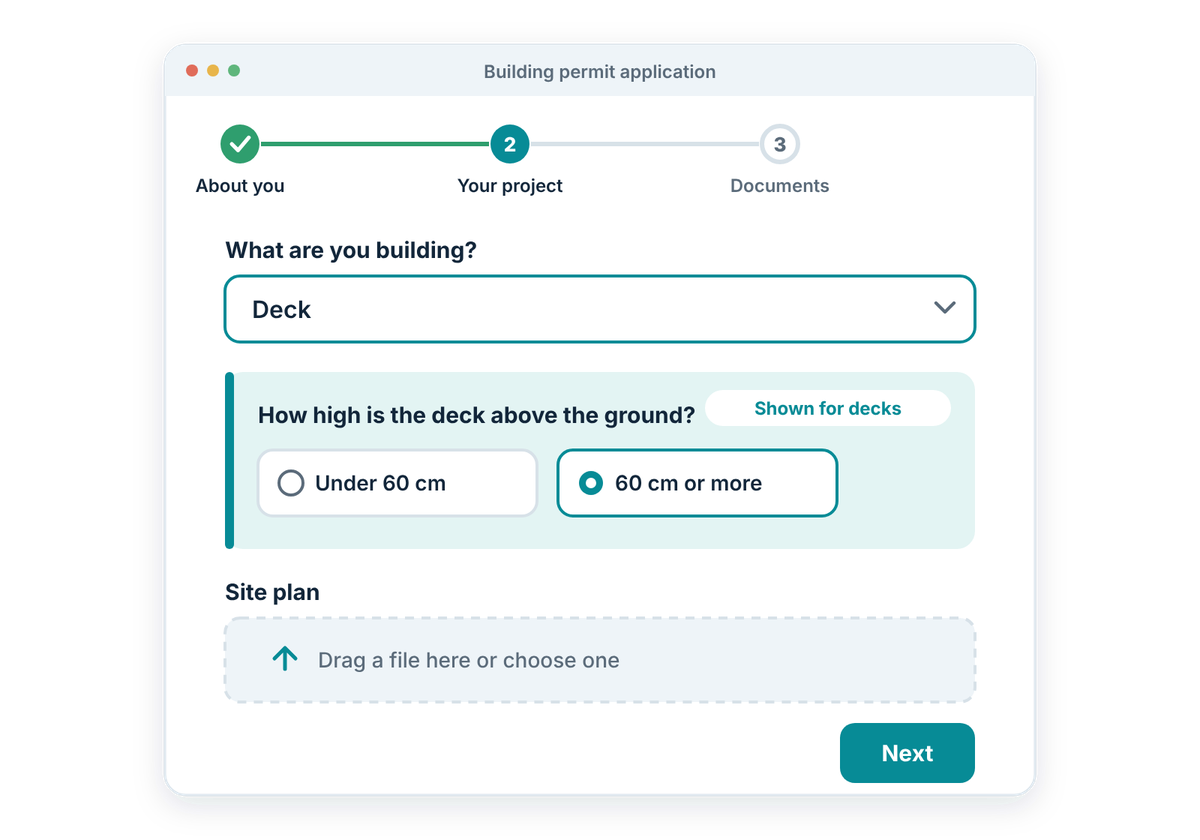
Online forms can simplify applications by showing people only the questions that are relevant to them, providing clear instructions, and allowing supporting information to be submitted in one place. This can reduce confusion while helping municipalities receive more complete and consistent submissions.
Online forms should:
Submission Routing & Confirmation
TOOL
Make sure completed forms reach the right team and give people confidence that their submission was received.
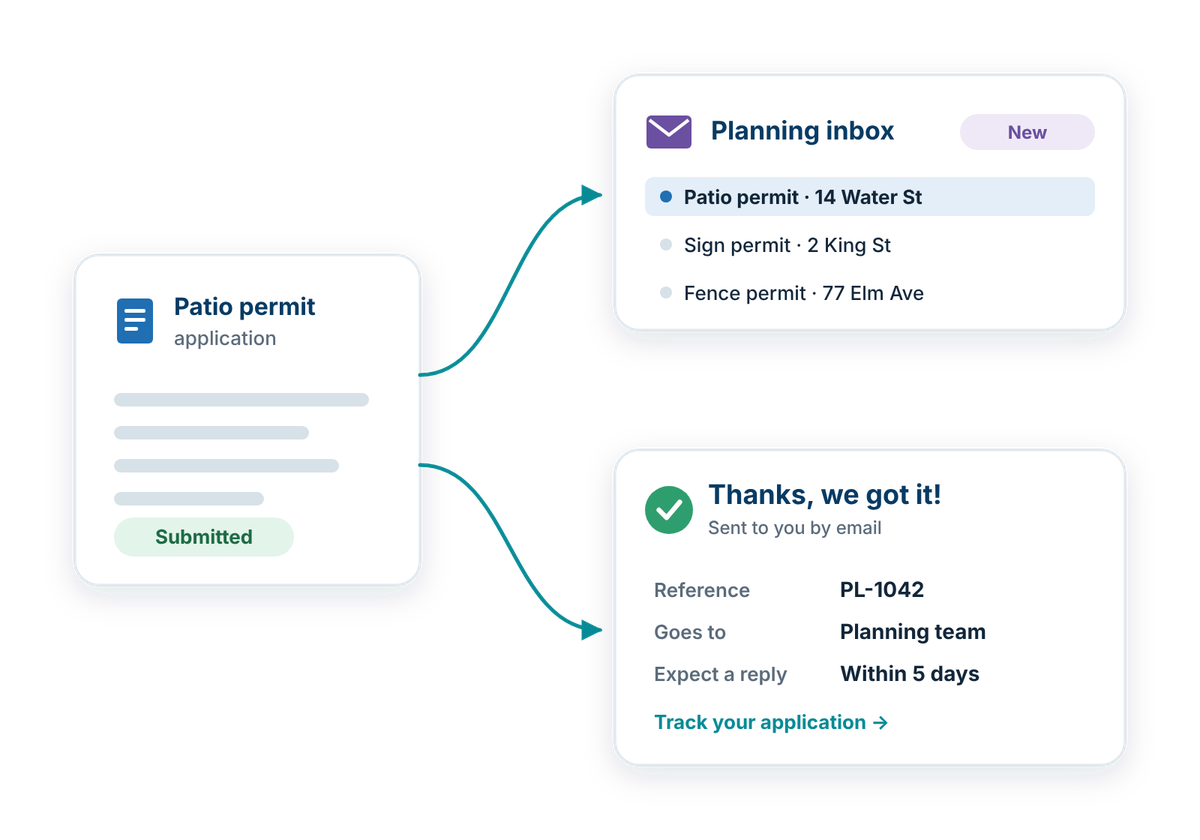
Submitting a form should not be the end of the experience. Clear routing can help direct applications to the appropriate department or staff member, while confirmation messages give applicants a reliable record that their information was successfully submitted.
Submission workflows should:
Also consider
- Security & Privacy: protect municipal systems, accounts, and the information people provide.
- Approvals & Escalation: keep applications that need internal review moving, with clear next steps.
How well does your website work for residents?
Take the free check-up. In about 20 minutes you'll walk through everyday situations, like reporting a pothole or finding a council agenda, and get a plain-language check-up report of what's working and what to tackle first.